Magic Gesture1.0.4
Publisher Description
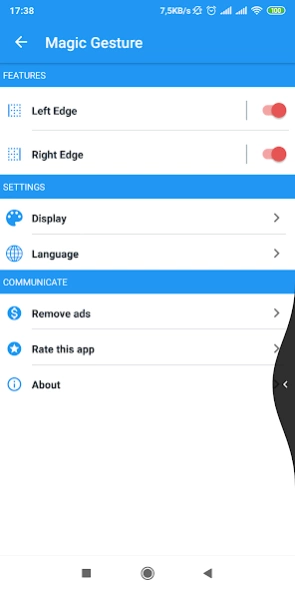
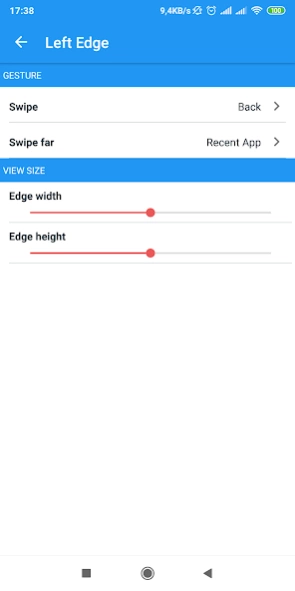
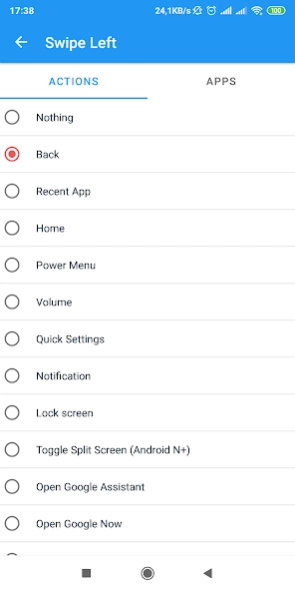

Let make your device more convenient with your finger 👈❤️👉
Android Q presented an awesome new feature "Gesture Navigation".
This feature allows you can do many things by a swipe one hand only.
And by install this software, we will help you experienced this helpful feature even your device hasn't upgraded into Android Q.
If your device ran android Q, you also will wanna to install it.
Because there are many beautiful features and you can customize by yourself.
With Magic Gesture, you can perform many actions with just the swipe of your finger
Functions
🔹 There are 2 swipe modes: normal swipe, long swipe
🔹 Display
🔹 Customization : Background color, icon color o Adjust sensitivity , size for each screen edge
Actions
Magic Gesture supports multiple actions, you can assign different actions to each hand gesture
🔸 Launch an application
🔸 Navigate Back
🔸 Recent screen
🔸 Press home
🔸 Power key menu
🔸 Quick setting
🔸 Google Now
🔸 And more .....
Let's install and enjoy it !
✌️✌️
About Magic Gesture
The company that develops Magic Gesture is PL_itto. The latest version released by its developer is 1.0.4.
To install Magic Gesture on your Android device, just click the green Continue To App button above to start the installation process. The app is listed on our website since 2019-11-24 and was downloaded 5 times. We have already checked if the download link is safe, however for your own protection we recommend that you scan the downloaded app with your antivirus. Your antivirus may detect the Magic Gesture as malware as malware if the download link to com.vezor.navigation is broken.
How to install Magic Gesture on your Android device:
- Click on the Continue To App button on our website. This will redirect you to Google Play.
- Once the Magic Gesture is shown in the Google Play listing of your Android device, you can start its download and installation. Tap on the Install button located below the search bar and to the right of the app icon.
- A pop-up window with the permissions required by Magic Gesture will be shown. Click on Accept to continue the process.
- Magic Gesture will be downloaded onto your device, displaying a progress. Once the download completes, the installation will start and you'll get a notification after the installation is finished.
Program Details
System requirements
Download information
Pricing
Version History
version 1.0.4
posted on 2019-11-24
Fix bugs & improve performance
